Point your camera at your tools. Dark Shadow AI turns the photo into a 3D-printable shadow board in five steps — all on your Mac, completely offline.
macOS 12 Ventura or later · Apple Silicon & Intel
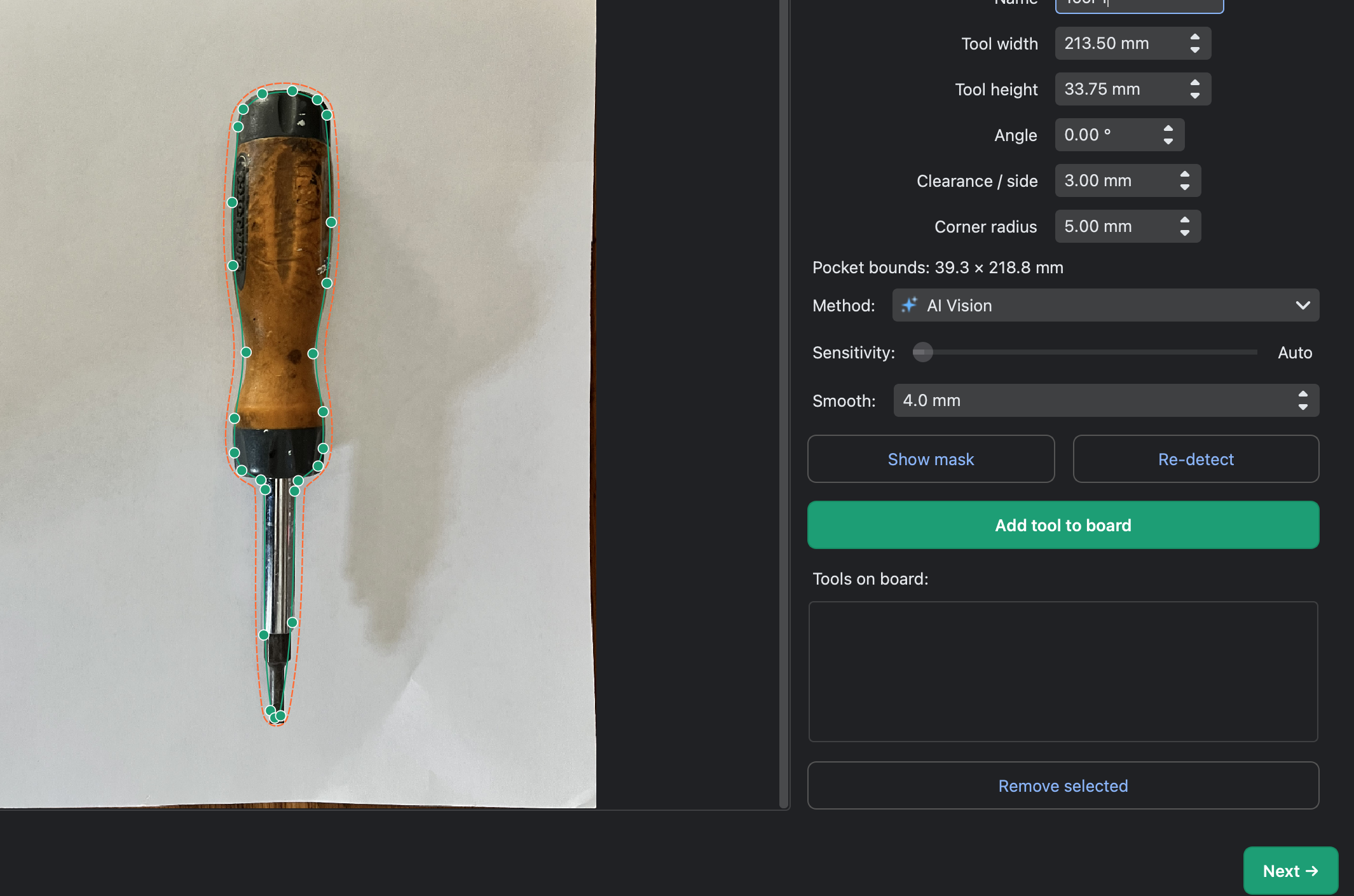
Dark Shadow AI traces the exact outline of each tool from a single overhead photo. The contour is smooth, accurate, and ready to become a pocket.
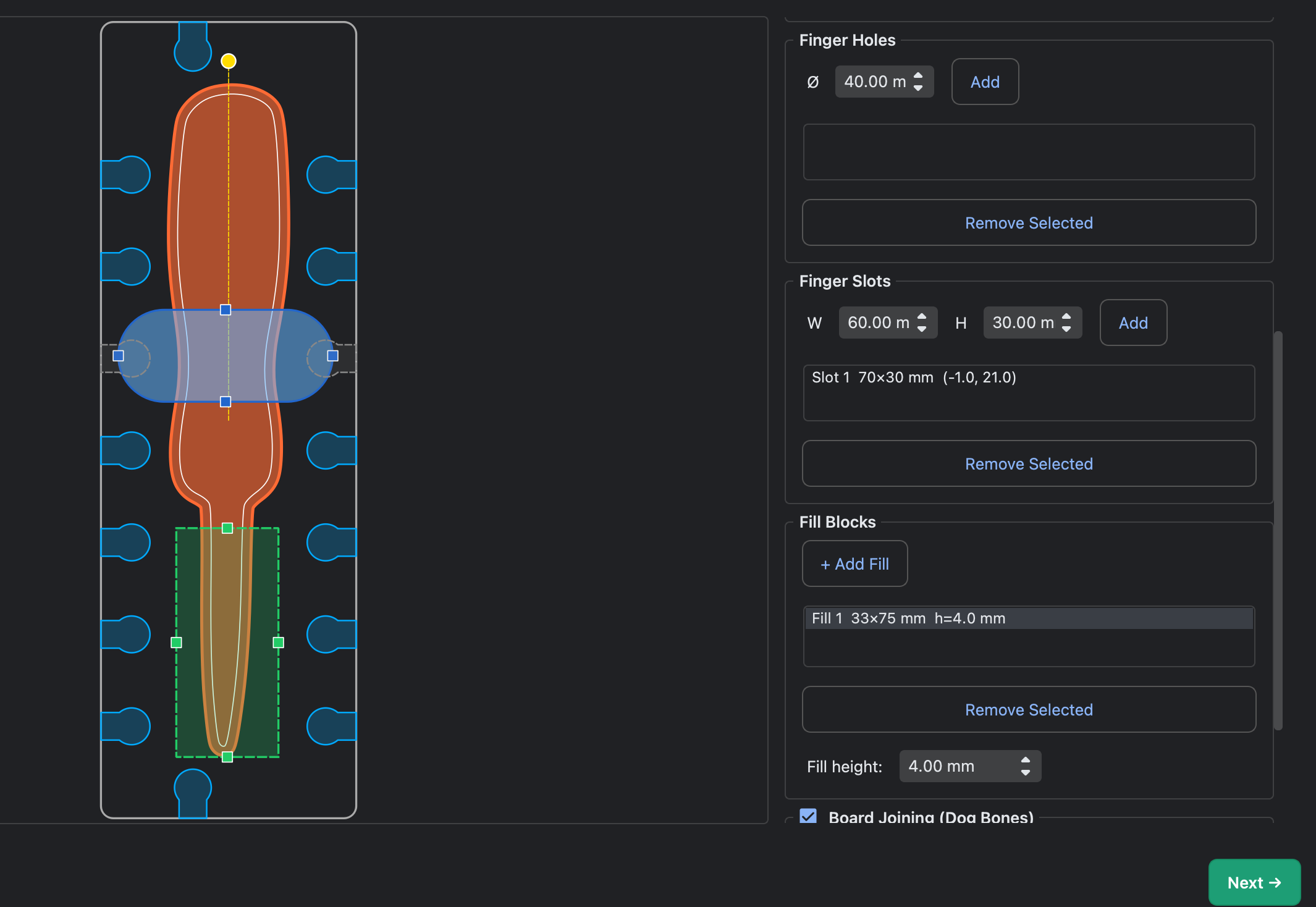
After detection, the board preview shows the pocket silhouette at scale. Customize your layout by adding finger holes for easy tool removal, dog bone connectors to snap multiple boards together, and gap fill blocks to support oddly-shaped tools. Then export straight to your slicer.
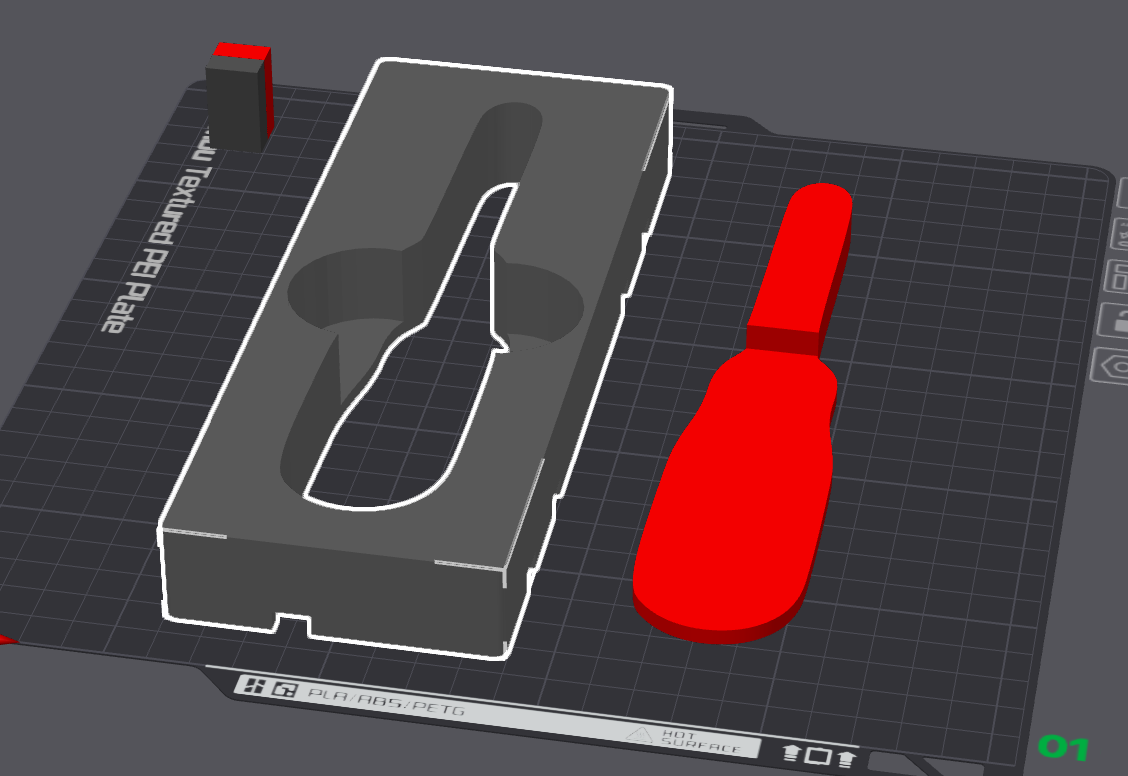
Dark Shadow AI exports two STL files: the board with pockets cut through, and a matching set of solid tool inserts. Print the inserts in an accent color and press them into the board for a professional two-tone shadow effect — no glue, no hardware, just a perfect friction fit.
Dark Shadow AI is purpose-built for one job: turning tool photos into print-ready shadow boards. No subscription, no account, no internet.
MobileSAM traces your tools with sub-millimetre accuracy. Runs entirely on your Mac — no cloud, no privacy trade-off.
Align four corner handles to the paper and the app removes lens distortion, giving true mm-per-pixel scale.
Export two interlocking STL files — a board and matching inserts. Print the inserts in an accent color for a professional two-tone finish.
Snap multiple boards together edge-to-edge with interlocking tab connectors. Scales to fit your printer with a single slider.
Choose from Segment X1, Threshold, Canny Edges, or AI Vision. Each method shines in different lighting conditions.
Every export is a watertight mesh — open straight in PrusaSlicer, Bambu Studio, or any standard slicer.
No CAD software. No measuring. Just a photo on a sheet of paper.
Lay your tools on A4 or US Letter paper and photograph them from directly above. Drag the image onto Dark Shadow AI or click Open Photo.
Drag four handles to the exact corners of the paper. This corrects perspective distortion and sets the real-world scale used by every measurement.
Click Add Tool for each item. The app traces the outline automatically. Switch detection methods, adjust the smooth slider, and repeat for every tool.
Drag tools on the canvas, add finger holes for easy removal, set pocket depth, and optionally enable dog-bone connectors for multi-board setups.
Export a single-color STL or two dual-color STLs. Watertight, sliceable, ready to print.
Free during beta — no account, no subscription required.
12 Ventura or later · Apple Silicon & Intel
Download DMGWindows 10 or later · 64-bit
Download ZIPUbuntu 22.04+ · Debian · Fedora · 64-bit
Download ZIPchmod +x DarkShadow./DarkShadow~630 MB download · All AI processing runs locally · No account required
Help us improve Dark Shadow AI — tell us what's working and what isn't.